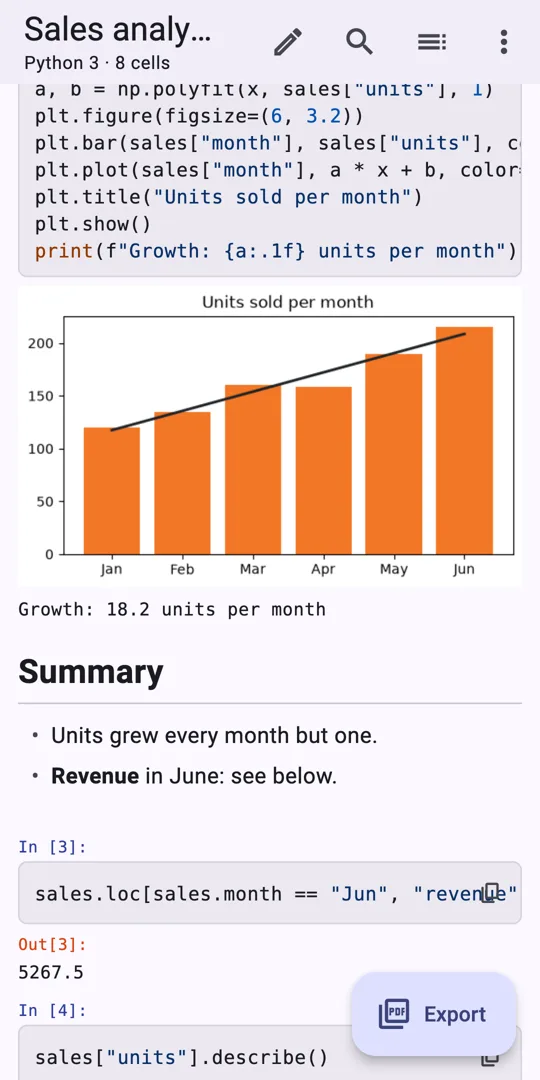
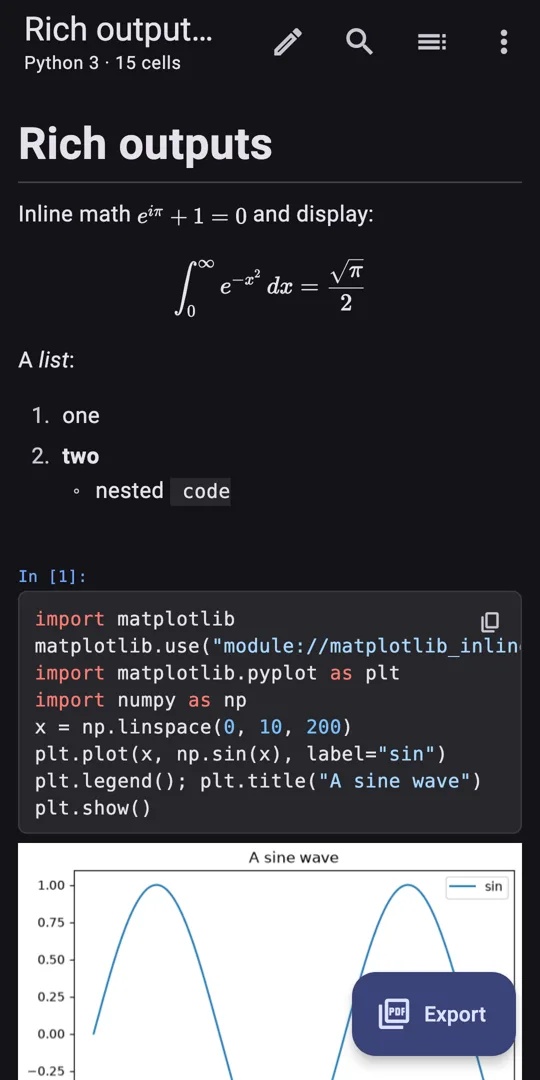
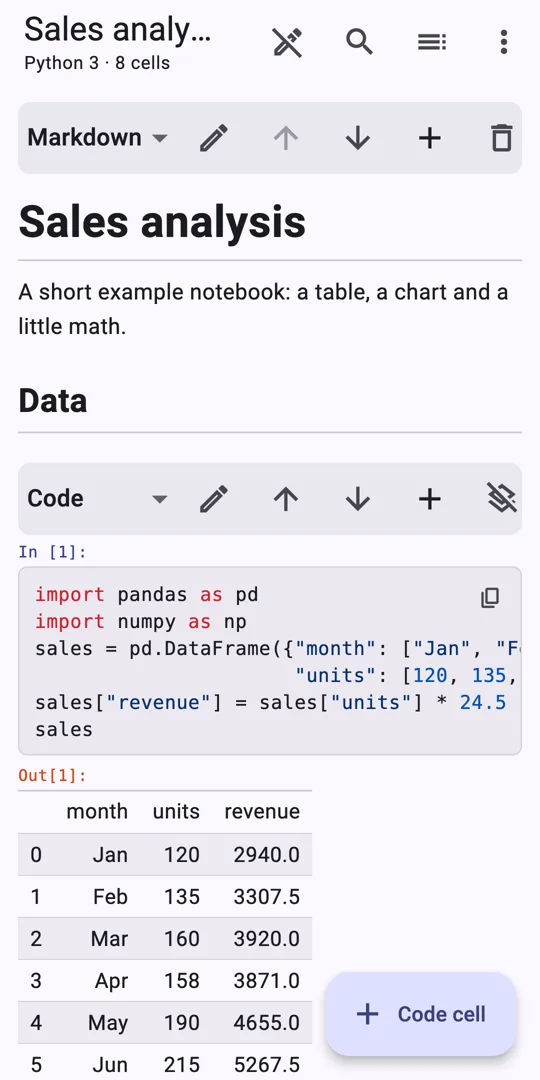
Notebooks as they were saved
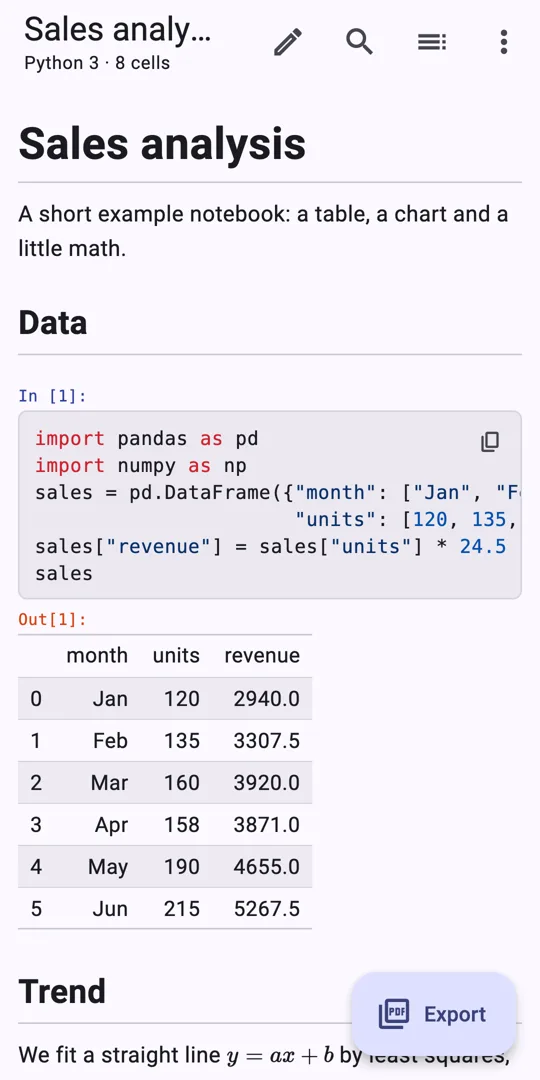
- Markdown with headings, tables, links and LaTeX math, inline and display
- Code highlighted for Python, R, Julia and JavaScript, with In [ ] and Out[ ] counts
- Saved outputs: text, coloured tracebacks, PNG, JPEG and SVG charts, pandas tables, Markdown and LaTeX
- A contents list from the headings, and Open with from your file manager, email or chat app
IPYNB to PDF
Export any notebook to a PDF whose text can be selected and searched, with headings as bookmarks, tables kept as tables and math typeset. A4 or US Letter.
Light editing
Fix a typo in a markdown or code cell, add, delete or move cells, change a cell's type or clear outputs, then save back to the file or save a copy. Notebooks are written in Jupyter's own layout, so they open cleanly in Jupyter, VS Code or Colab afterwards.
Checked against nbconvert
The app reads notebooks with its own engine. It was tested cell by cell against jupyter nbconvert on 53 notebooks, including the nbformat test files, the Jupyter documentation examples and a 90 MB notebook of embedded images.
Optional Pro unlock
A one-time purchase, or a short unlock by watching an ad, adds HTML, Markdown and script export, batch export, a dark-theme PDF, search across cells, outputs-only export and no ads. Viewing, editing and PDF export stay free.
Questions
- Does it run the code in a notebook?
- No. It shows the outputs that were saved in the file; nothing is executed.
- Are my notebooks uploaded anywhere?
- No. Notebooks are read, edited and converted entirely on your phone.
- Is IPYNB Viewer made by Project Jupyter?
- No. It is an independent app and is not affiliated with or endorsed by Project Jupyter.
Free on Google Play, supported by ads. Read the IPYNB Viewer privacy policy. Questions or a bug? Write to support@tahatec.com.