Open it any way
Tap an .ics attachment and choose Open with, share a file to the app, pick one from your files, open a webcal:// or https calendar link such as a public holidays feed, or paste the text of a calendar from an email.
See what is in it
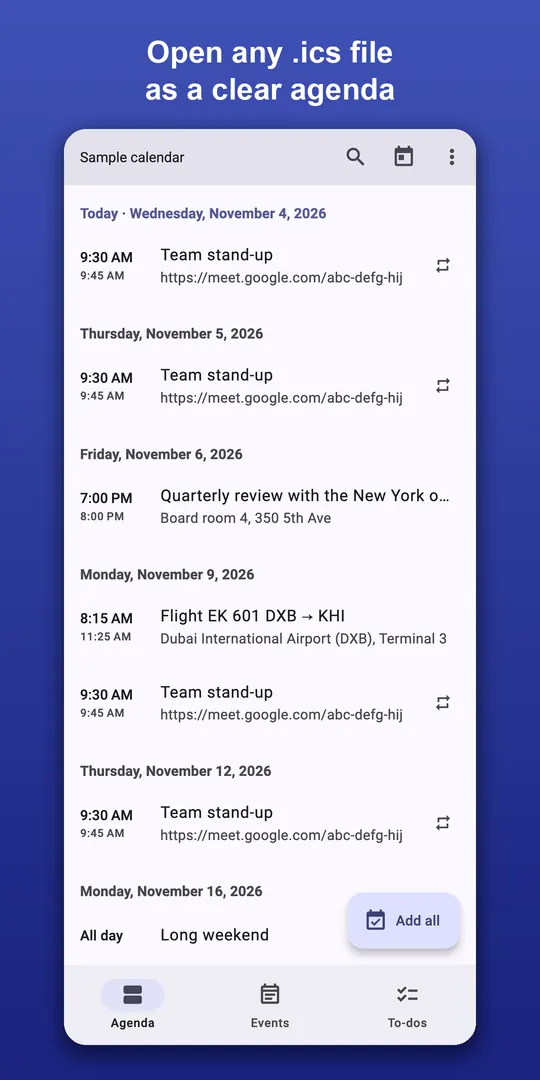
- Agenda by day, a list of all events, and to-dos when the file has them
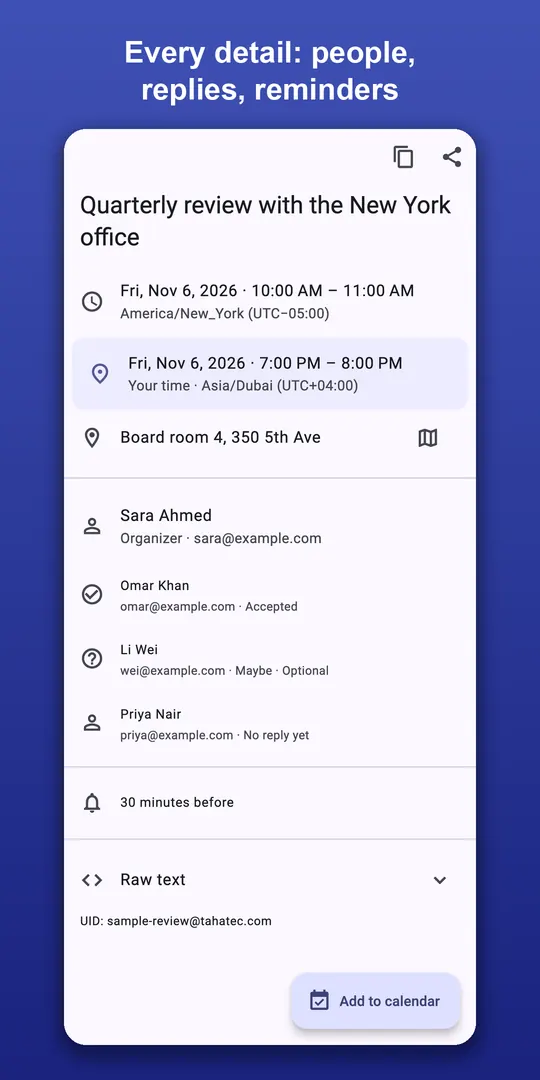
- Times in your time zone, with the event's own zone beside it when they differ
- Outlook invites with Windows time zone names, plus Google, iCloud and Thunderbird files
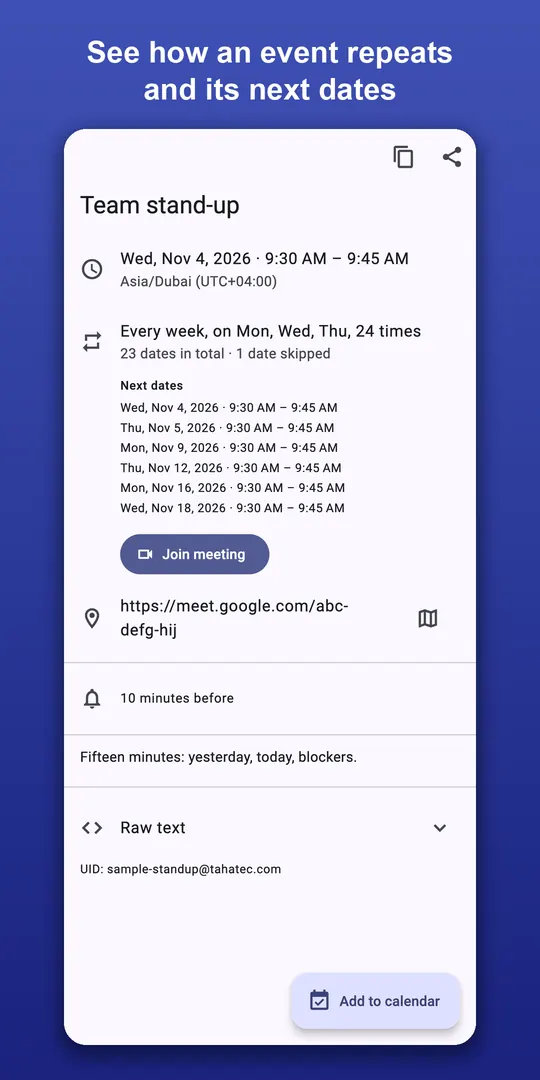
- Repeating events in plain words, with the next dates, skipped dates and changed instances
- Attendees and replies, organiser, reminders, location with a map link, and a Join button for Teams, Zoom and Meet
Add to your calendar
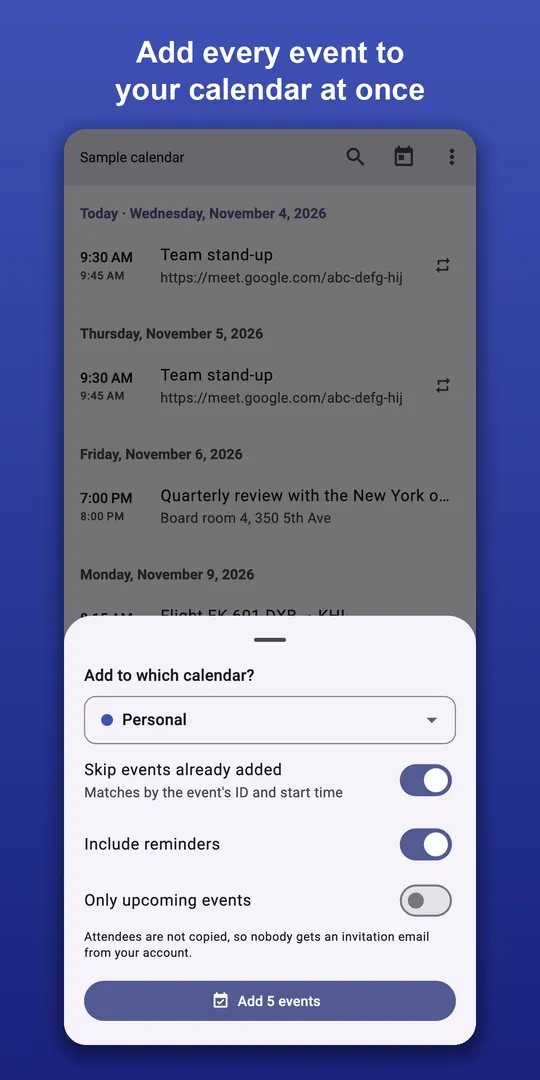
Add one event through your calendar app with no permission needed, or Add all to a calendar you pick, with reminders. Events already added are skipped, so running it again makes no duplicates, and attendees are never copied, so nobody gets an invitation email from your account.
Share, export and check
Share a copy, export events as CSV, or strip people, notes or reminders before passing a file on. Check file lists problems with line numbers. The calendar permission is asked for only when you use Add all, and files are never uploaded.
Questions
- How do I open an .ics file on Android?
- Tap the attachment and choose ICS Viewer, or share the file to it. You see every event before deciding what to add to your calendar.
- Why is my meeting showing the wrong time?
- Usually a time zone mismatch, often from Outlook's Windows time zone names. ICS Viewer converts every event to your phone's zone and shows the original zone beside it.
- Will adding events send invitations to the attendees?
- No. Attendees are never copied when events are added, so nobody receives an email from your account.
Free on Google Play, supported by ads. Read the ICS Viewer privacy policy. Questions or a bug? Write to support@tahatec.com.