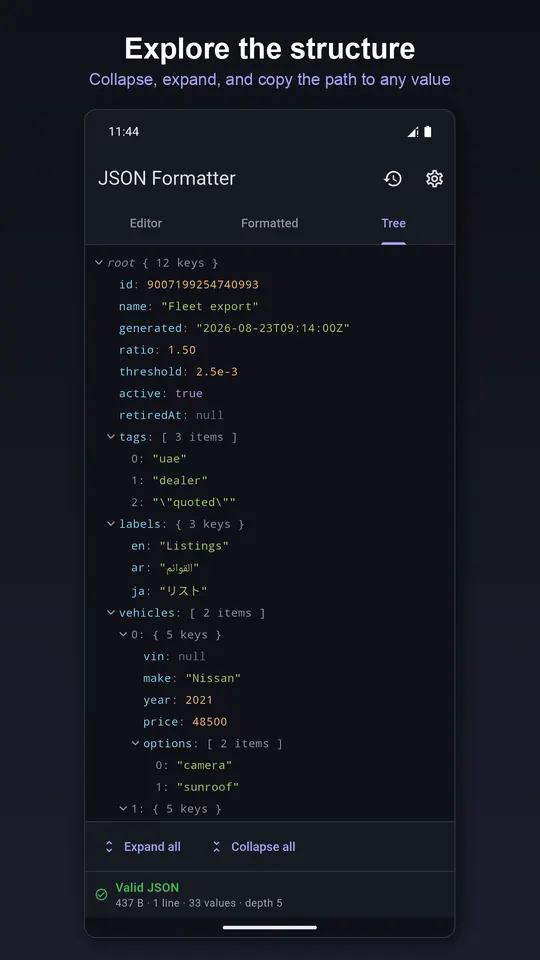
It does not rewrite your numbers
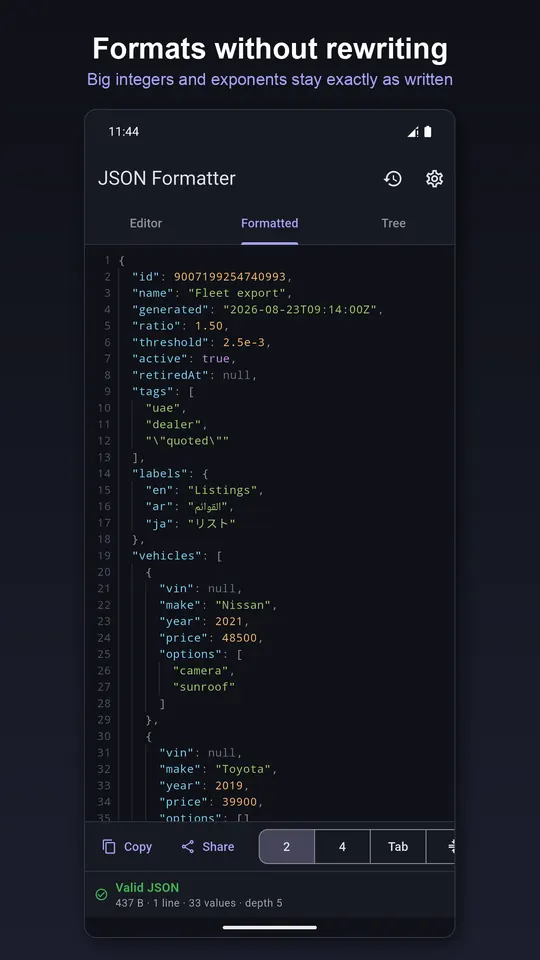
Most formatters parse JSON into their language's own number type and print it back, which quietly changes your document: 12345678901234567890 becomes 12345678901234567000, 1e5 becomes 100000.0, 1.50 becomes 1.5. This app keeps every number exactly as it was written.
Errors and duplicate keys
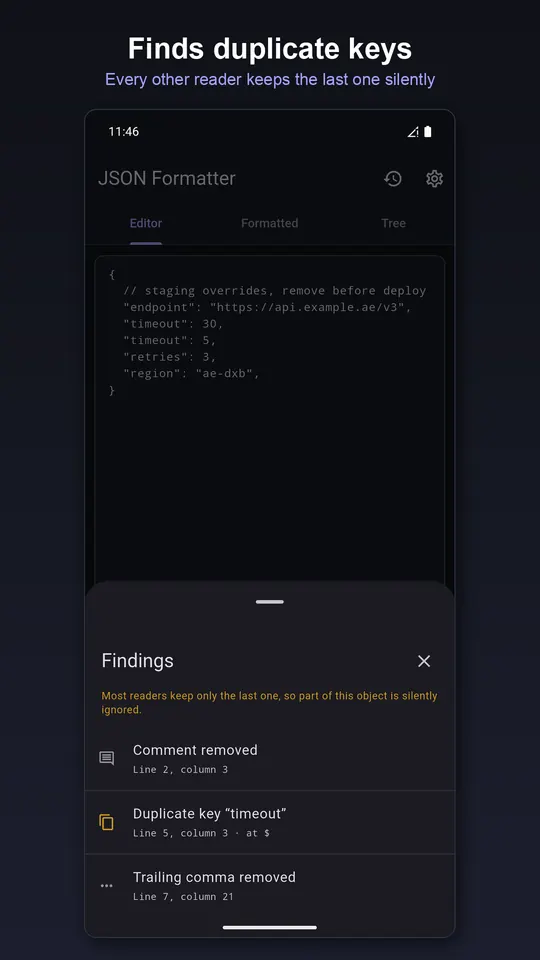
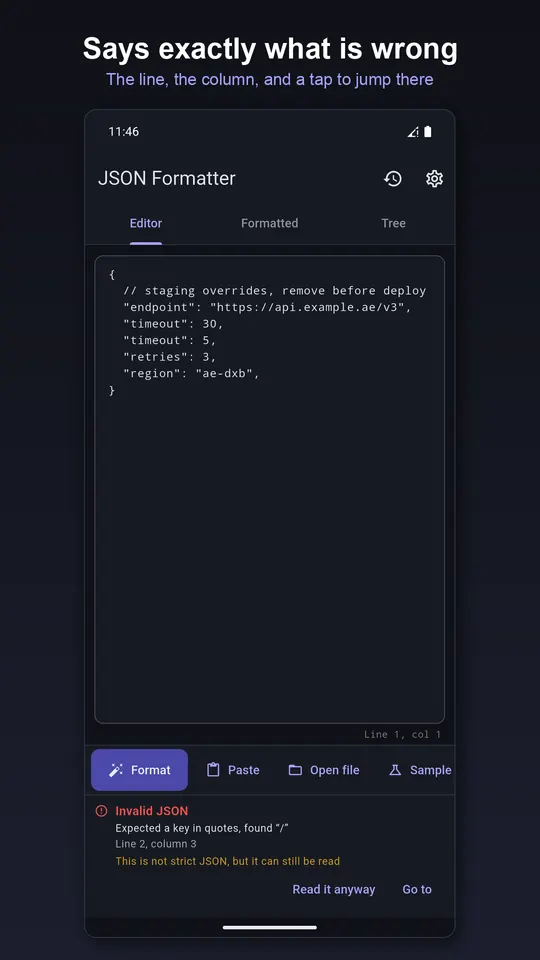
Invalid JSON gets a plain-English reason, the exact line and column, and a button that puts your cursor there. Duplicate keys like {"timeout": 30, "timeout": 5} are legal JSON, but most readers keep only the last one; this app keeps both, flags them and shows the path.
Reads real-world files
Turn on relaxed parsing to read config files with // comments, trailing commas, single quotes and unquoted keys. It outputs strict JSON and lists every deviation it tolerated.
Explore and output
- Tree view with types and child counts; copy the path to any value, such as
$.servers[2].host - Indent with 2 spaces, 4 spaces or tabs, or minify to one line
- Sort keys alphabetically, the way
jq -Sdoes - Files up to 8 MB, parsed off the main thread
- Your last 20 documents, kept on the device and out of cloud backup
Questions
- Is it safe to paste company data?
- Yes, as far as the app is concerned: documents are parsed on your phone and never uploaded. There is no account, sync or server.
- Why did another formatter change my numbers?
- It converted them to floating point and back. Large integers lose precision and formatting like 1.50 or 1e5 is rewritten. This app keeps the original text of every number.
- Can it read JSON with comments?
- Yes, with relaxed parsing on. It also tells you exactly which parts were not valid JSON.
Free on Google Play, supported by ads. Read the JSON Formatter privacy policy. Questions or a bug? Write to support@tahatec.com.